
Olin Library Amenities & Technology
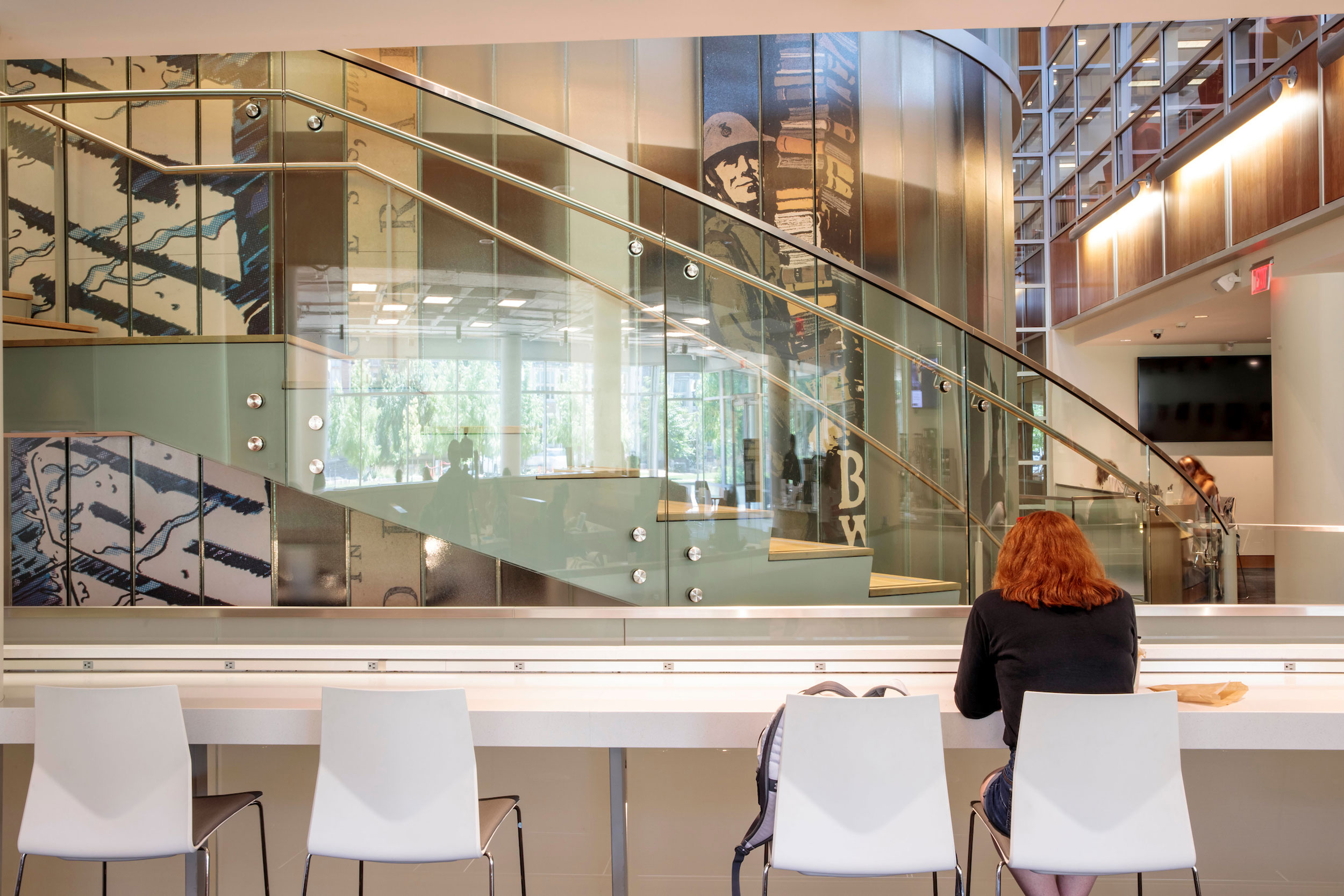
Olin Library offers many welcoming spaces, technology-related services, as well as audio and visual materials for our users.
Carrels, Lockers & Faculty Studies | Instruction Room 3
Whispers Café | AVA Studio | Serenity Room | Infant Nursing Room
Computer Information | Printing & Copying
Microform Readers & Scanners | Audio & Visual Materials
Carrels, Lockers & Faculty Studies
Olin Library provides storage and study spaces throughout the building for Danforth faculty and students.
Library materials stored in lockers and faculty studies must be checked out; otherwise, they will be removed. It is the borrower’s responsibility to check out books at the Help Desk and either return or renew them when they are due.
For any questions about lockers, fines for late returned keys, or replacement key costs, please see the Olin Help Desk in person on level one of Olin Library, via email at circ@wumail.wustl.edu, or by phone at (314) 935-5420.
Day Lockers for one-day use are available to students and faculty on Levels B, A, 2, and 3 near the copier machines. Keys are available at the Help Desk. Day Lockers may not be reserved.
Graduate students needing space for research and writing may use individual study carrels on Levels A and B. Short- and long-term options are available to graduate students in most disciplines except for Law, Medicine, and Brown Schools. Usage guidelines apply, and renewals are not available. For further details, please see the Private Carrels page.
- Short-term carrels | Day-use and 3-hour carrels may be utilized by checking out a key at the Help Desk. Carrels are available on a first-come, first-served basis.
- Long-term carrels | Assigned randomly for a five-month period via applications that will open each year in January and July. Renewals and extensions will not be granted. Apply for a spring 2026 private carrel.
Long-term lockers are available for a semester on a first-come, first-served basis. Lockers are located on Levels B, A, 2, and 3. Keys are available at the Help Desk. Long-term Lockers may not be reserved.
Group Study Rooms available for Danforth faculty and graduate students are on Levels B, A, 2, and 3. Faculty and Graduate rooms use a card-swipe lock and require a WashU faculty ID card. Undergraduate quiet study rooms are not locked. Learn more about the group study rooms.
All library material kept in a day locker, lockable bookshelf, or study must be checked out to the person assigned to the space. Library staff will periodically inspect day lockers, lockable bookshelves, and study areas. Any library material not checked out will be removed and returned to the stacks.
Food or drinks may not be kept in day lockers, lockable bookshelves, or studies.
Trash cans must be placed outside individual study carrels for cleaning staff to empty.
Day lockers, lockable bookshelves, and studies were not built to secure personal property and are susceptible to theft. Electronic equipment is particularly vulnerable. For this reason, please do not leave valuables in these spaces.
Instruction Room 3
Instruction Room 3 is accessible to anyone with a valid WashU ID and is available for drop-in use and studying when not reserved. The Libraries reserve the right to ask anyone using the room to leave when the room is scheduled for a program. For information on using Instruction Room 3 for studying, please see the Study Rooms page.
Please see the Library Instruction page for additional information on Instruction Room 3.
Whispers Café
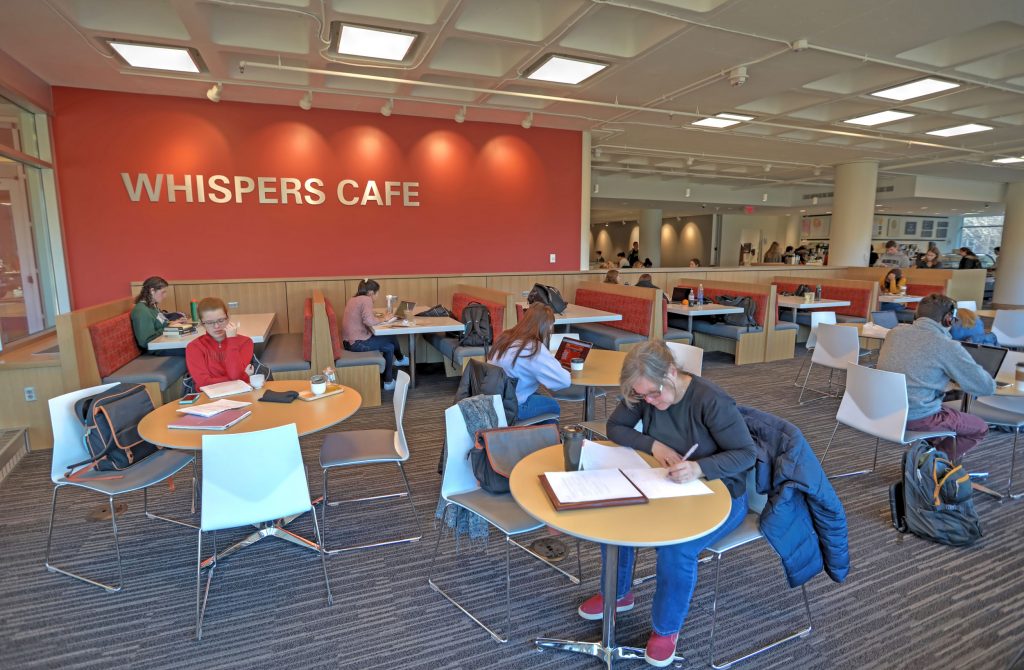
Located on the ground level of the Olin Library, Whispers Café offers an expanded coffee and tea program, more grab-and-go options, and a great place to sit and chill.
AVA Studio
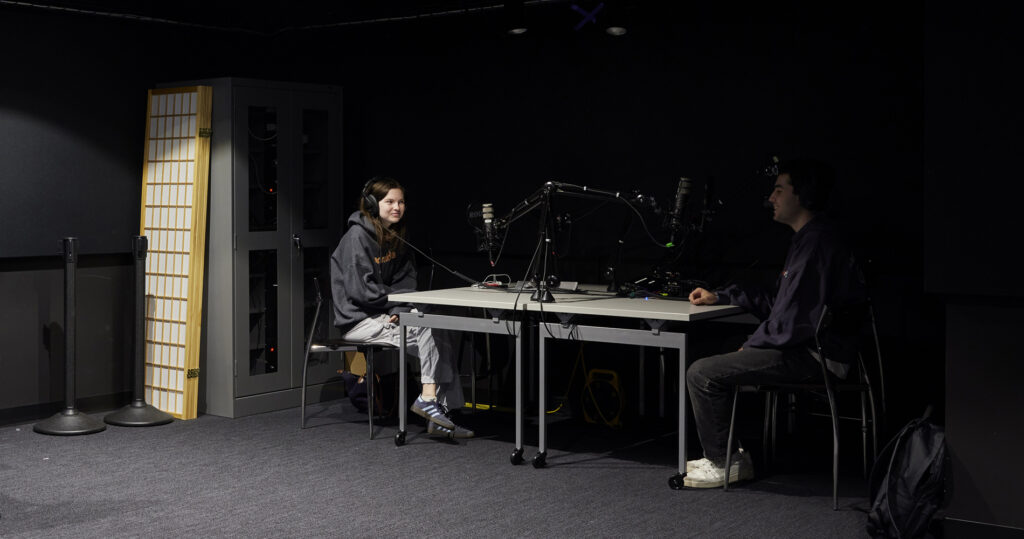
Audiovisual/Virtual Reality/Augmented Reality (AVA) Studio is a creative digital space on Olin Library Level A. It houses AR/VR headsets, a photography setup, and audio recording equipment. The purpose of AVA Studio is to provide an accessible space to interact with digital technology.
Infant Nursing Room
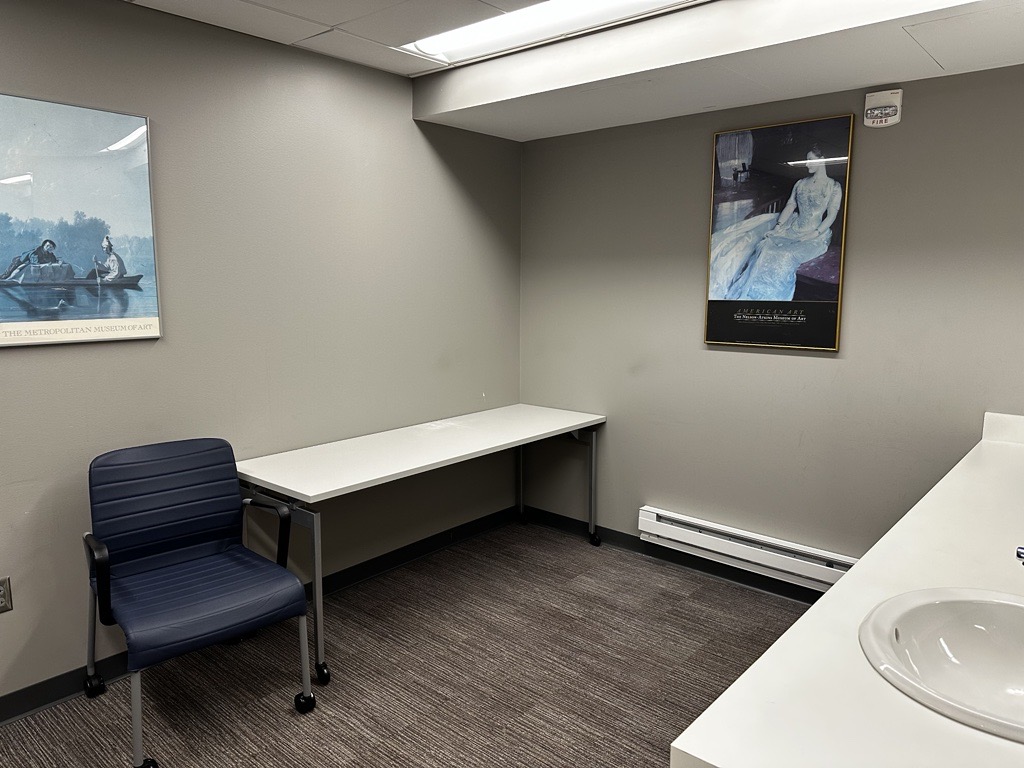
This private space, equipped with a chair, small table, and sink, is designed for nursing mothers to feed their children and also provides power for pumping.
To use the Infant Nursing Room, please contact Library Space & Building Operations Management at CFU-LIBFacilitiesandSafety@email.wustl.edu in advance so your WashU ID can be enabled for card-swipe access.
Serenity Room
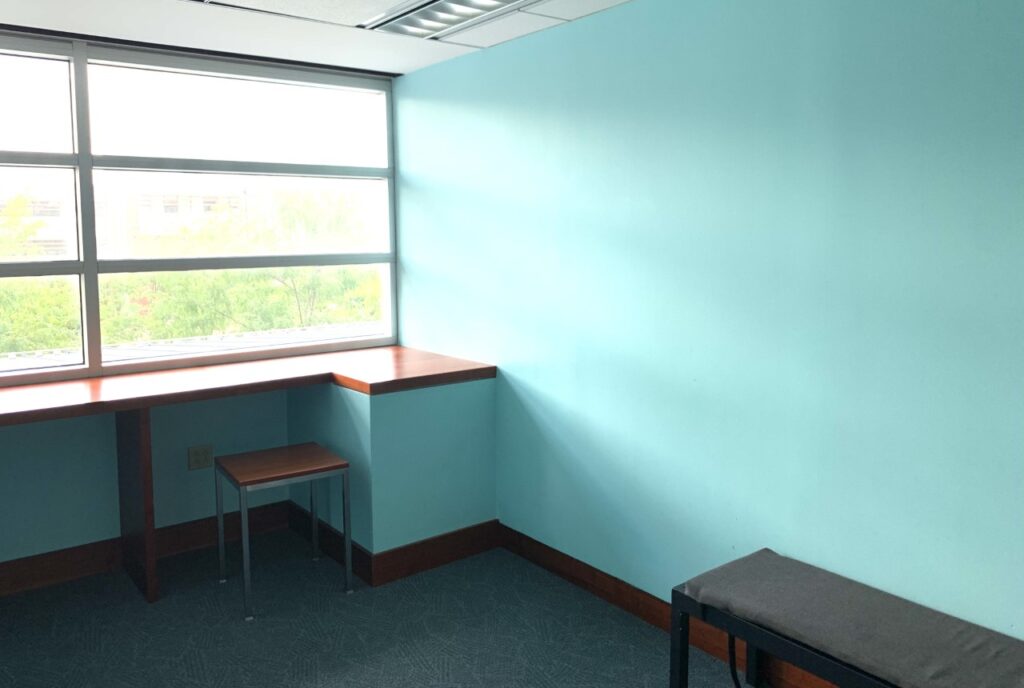
The Serenity Room, located on the second floor of Olin Library, is available for prayer, meditation, and quiet reflection.
This space is available to people of all faiths and those without religious affiliation. It is open at the same hours as Olin Library, is not reservable, and is not intended as a study space.
Computer Information
Olin Library provides computers in the following locations:
- John M. Olin Library – Levels B, A, 1, 2, and 3
Software installed on all PCs includes:
- Adobe Digital Editions
- Google Earth
- Mendeley desktop
- Microsoft Office 365
- Notepad++
- Oxygen
- RStudio
- VLC media player
- Zotero
Dedicated computers are equipped with Job Access With Speech (JAWS) software, which allows users with low vision or complete loss of sight to read the screen. For further assistance, ask the Olin Library Help Desk on Level 1.
Files cannot be permanently stored on library computers. When a public computer reboots, it resets itself to a default configuration and periodically erases all locally stored user data. Please use your own external drives, such as flash or thumb drives, to save your work. Save to your own device and save often.
If you forget your thumb drive and need to borrow one, please see the Help Desk in Olin Library (Level 1), and you will be provided with one. Please review and follow WashU’s rules on using computing resources when using library-provided computers. Any movies, music, programs, or other software installed or stored on library computers may be deleted at any time.
Printing & Copying
The Libraries provide printing and scanning services to members of the WashU community (students, faculty, and staff) using color, multi-function printers located throughout the Libraries. These devices provide print and copy services at the same price. Printing is available from all PCs in the Libraries and from personally owned computers with the proper drivers installed.
Printers are located on Level 1 of Olin Library near public computers, in Whispers Café, and near the restrooms on Levels 3, 2, A, and B.
Consult the Olin Library Floor Plans for further specifications.
Microform Readers & Scanners
Microform Types
| Type of microform | Description |
|---|---|
| Microfiche | Approximately 3″x4″ transparent pieces of plastic printed with very small images of documents. Government documents are often printed on fiche. |
| Microcard | Opaque cards of various sizes are printed with very small images of documents. |
| Microfilm | Approximately 35mm wide rolls of transparent plastic printed with very small images. |
A microform scanner is located in Olin Library on Level B near the restrooms. The scanner is self-service and available on a first-come, first-served basis. Signage at the scanner provides basic guidelines for its use.
Microforms are housed at the West Campus Library and are not available for browsing. Microforms can be requested in the Libraries Classic Catalog. Select the Olin Library as the pickup location and allow 2-3 business days for the items to arrive.
If you are unable to place a request in the Libraries Catalog or need further assistance, submit an Item Request Form or contact the Offsite Collections Access unit via email (CFU-LIB-OffsiteCollections@email.wustl.edu).
Scanners
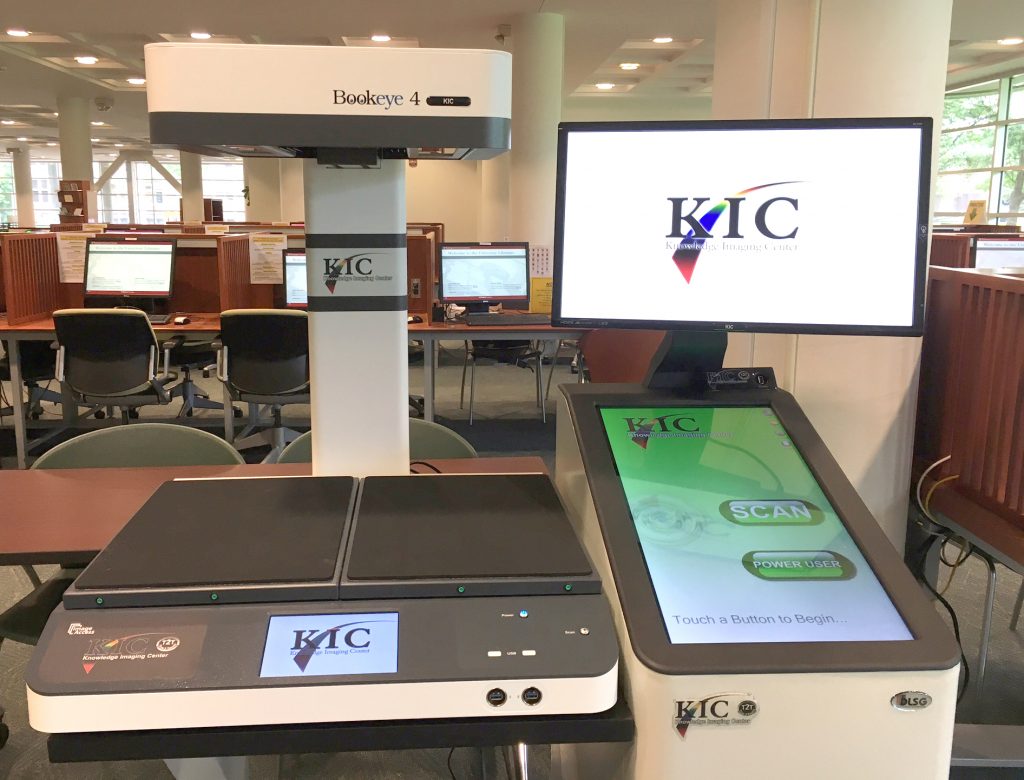
Two KIC Bookeye overhead scanners are available—adjacent to the Olin Library Help Desk on Level 1 and in the Kranzberg Art & Architecture Library copy room. The Bookeye can scan from a flat surface or a V-cradle, and documents can be saved to a USB drive or emailed. Small flatbed scanners are available in Olin Library on levels A, 2, and 3 in the stack area adjacent to the catalog-only systems.
Audio & Visual Materials
DVD/VHS Viewing Workstation
The DVD/VHS viewing workstation is located on Level B of the Olin Library, near the DVD collection. This is the only place in Olin where you can view a VHS tape. DVDs, particularly PAL and non-US region discs, can also be viewed on these devices. Standard DVDs can be viewed on any public computer in Olin if the DVD player at the viewing station is unavailable.
DVDs
Thousands of DVDs are available for browsing on Level B of the Olin Library. The Olin Library DVD List, available below, links to DVDs organized by subject or language. These categories are not comprehensive; if you are looking for a particular title and cannot find it, please search the Classic Catalog. There are also some DVDs available in the Music and Art & Architecture Libraries.
Thousands of DVDs are available for browsing on Level B of the Olin Library.
You may also place DVD requests through the online catalog.
Below is a link to a list of DVDs in the Olin collection. If you are looking for a particular title and cannot find it, please ask at the Help Desk, call us at (314) 935-5420, e-mail us at circ@wumail.wustl.edu, or chat with us online.
DVD Subject Lists
Videos
VHS videos may be requested from the West Campus Library for viewing in Olin Library. Departmental libraries may also have small video collections related to their subject areas. Please see the following Library Catalog listings and finding assistance aids:
- Olin Library Videos Catalog (Warning: There are over 5,000 of them, so this may take a while to load).
- Finding videos: WashU Libraries Film Collection.
Audiobooks
Audiobooks on CD or cassette tape may be requested from the West Campus Library for pickup at any Danforth Library location. You can search for them in the Classic Catalog by author or title and limit your search to spoken recordings as the material type. If you prefer to browse what is available, try these links:

Streaming Audiobooks
You can download audiobooks and e-books from the OverDrive Audiobook Collection. See the OverDrive Audiobook Collection on Database Finder and learn how to create an OverDrive account using your WashU email address by selecting “Additional Info.”
To use OverDrive on your mobile device, download the Libby app.